Ledger vs Trezor: Which Hardware Wallet Is Better for You?
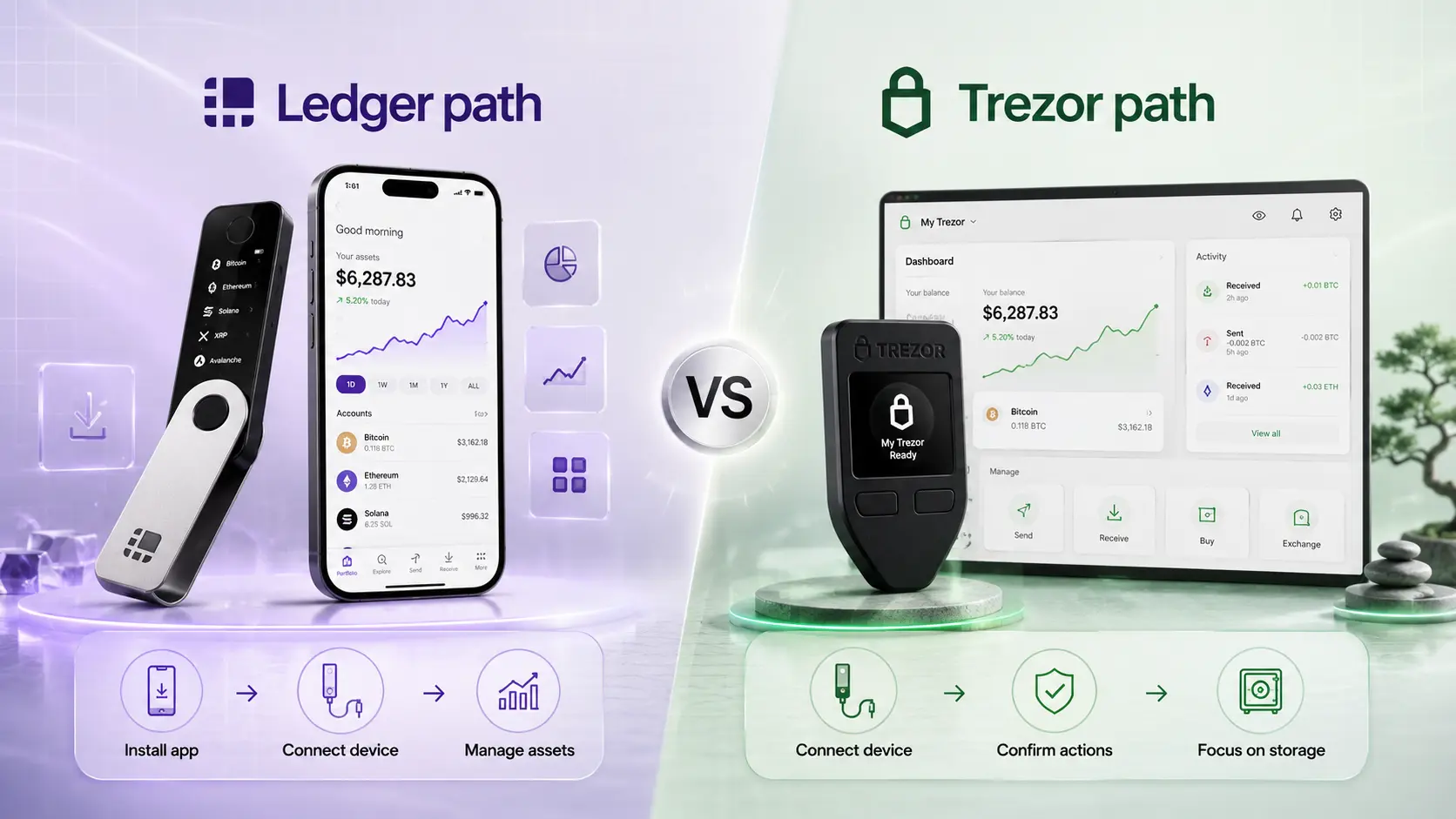
Ledger is usually better if you want more coins, mobile convenience, and a broader app ecosystem. Trezor is usually better if you prefer open-source design, Bitcoin-only options, and a simpler self-custody workflow. Both are good hardware wallets. The better choice depends on how you plan to use crypto.
Short answer: Ledger is broader, Trezor is more control-focused
If you searched for ledger vs trezor, trezor vs ledger, trezor wallet vs ledger, or ledger or trezor, start here: Ledger is the broader ecosystem pick. Trezor is the more control-focused self-custody pick.
Neither is best for everyone. Use the chooser below to match your storage style before comparing specs.
Use official product pages to verify current pricing, supported assets, device availability, and regional features before buying.
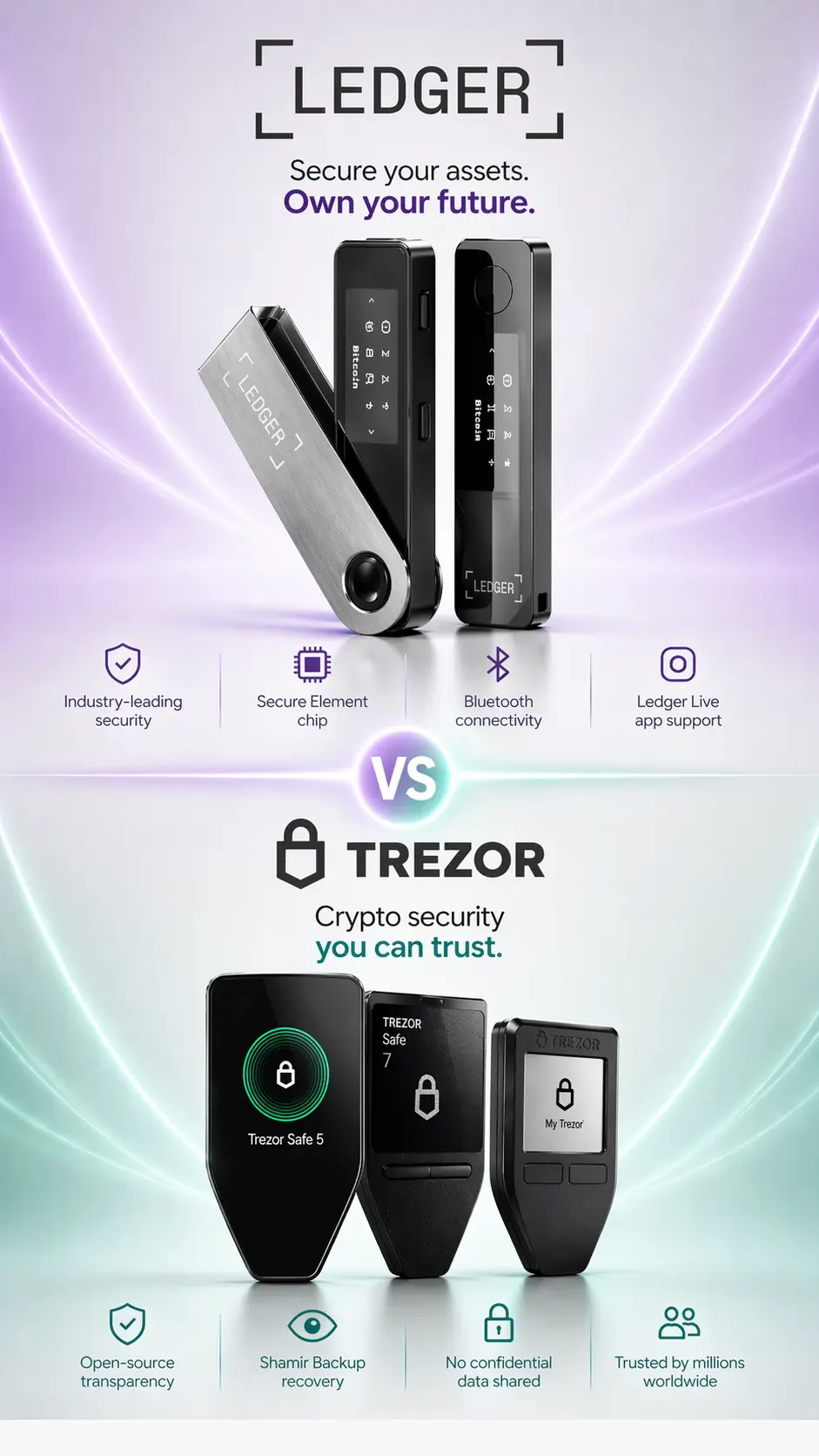
Ledger or Trezor: which wallet style fits you?
Answer a few practical questions about how you plan to store, manage, and protect your crypto.
 Ledger
vs
Ledger
vs
 Trezor
What matters most to you?
This quiz is a decision helper, not financial, tax, legal, or security advice.
Choose by what matters most to you
Select your main priority and see which wallet fits better.
Ledger fits coins and apps better
Ledger is usually better for broader app ecosystem support and flexible crypto management.
View LedgerLedger vs Trezor score snapshot
Quick editorial scores to make the Ledger or Trezor decision easier to scan.
App ecosystem
Best for flexibility
Ledger9Trezor7Open-source transparency
Best for auditability
Ledger6Trezor9Beginner setup
Different learning curves
Ledger7Trezor7Long-term storage habits
Best for control routines
Ledger8Trezor9Multi-asset flexibility
Best for broad portfolios
Ledger9Trezor7Control-focused storage
Best for self-custody discipline
Ledger7Trezor9Scores are editorial estimates to help compare wallet fit, not official security ratings.
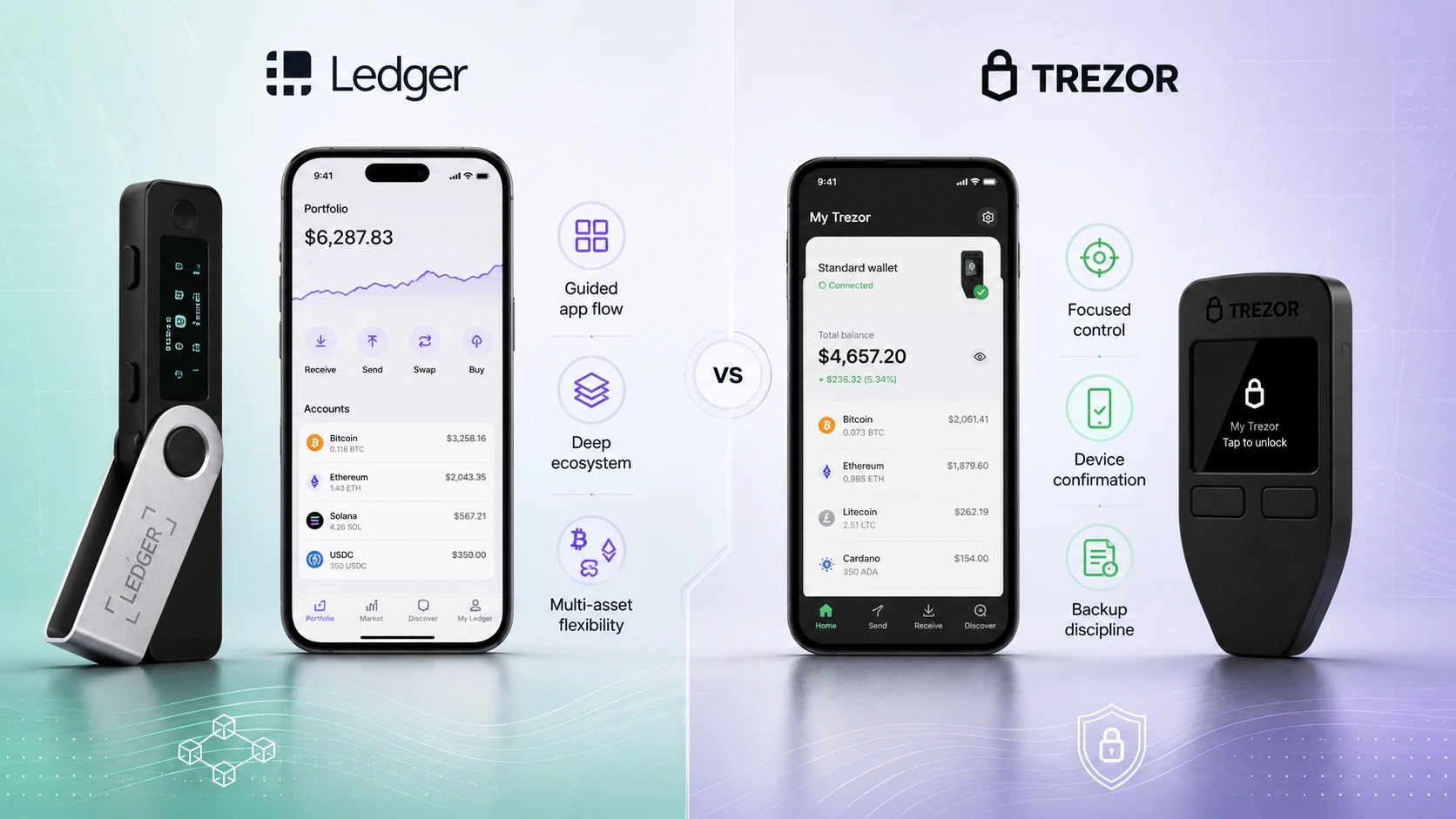
Ledger vs Trezor infographic
A quick visual summary of how Ledger and Trezor compare by ecosystem flexibility, self-custody style, supported assets, and beginner fit.
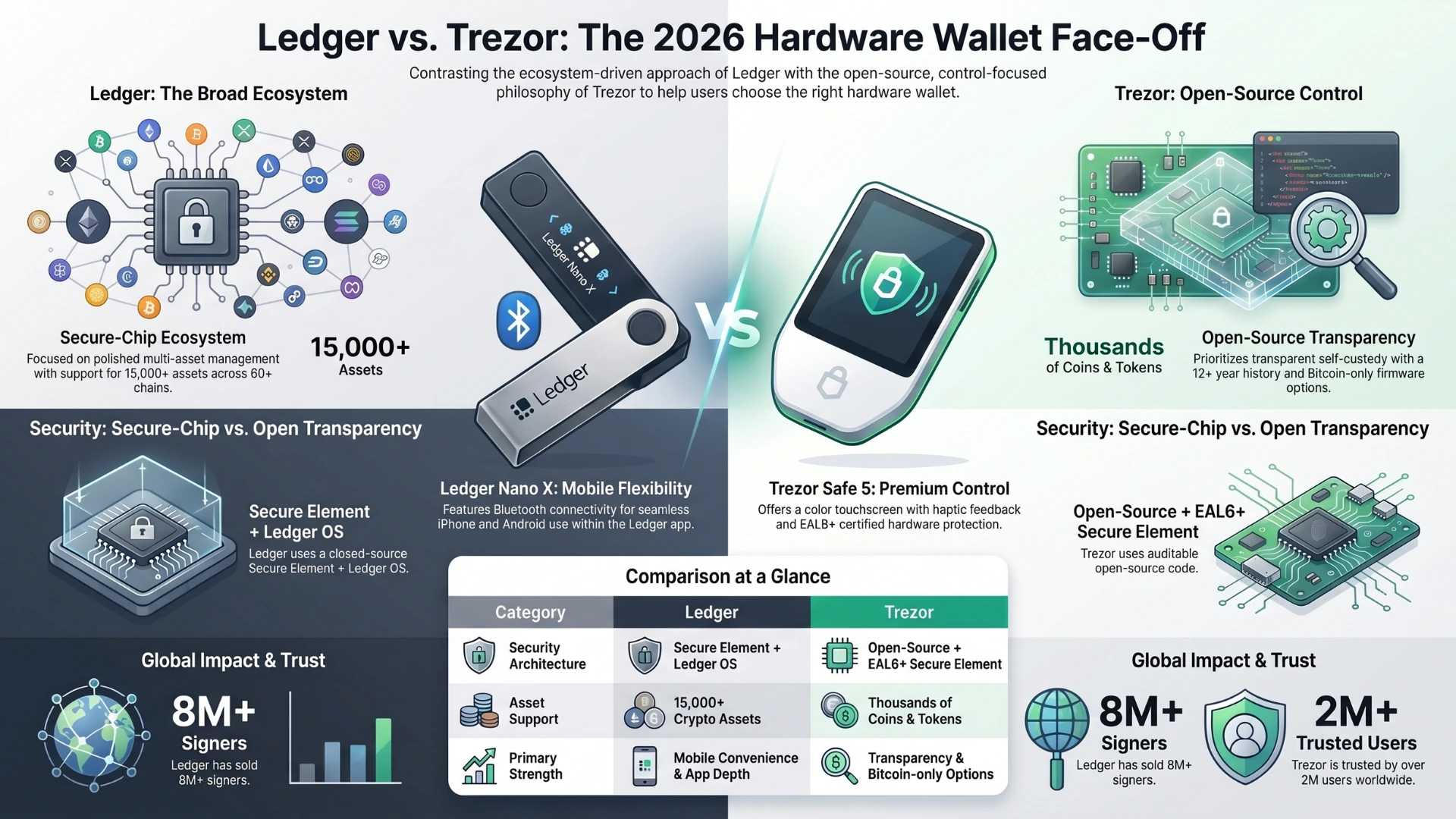
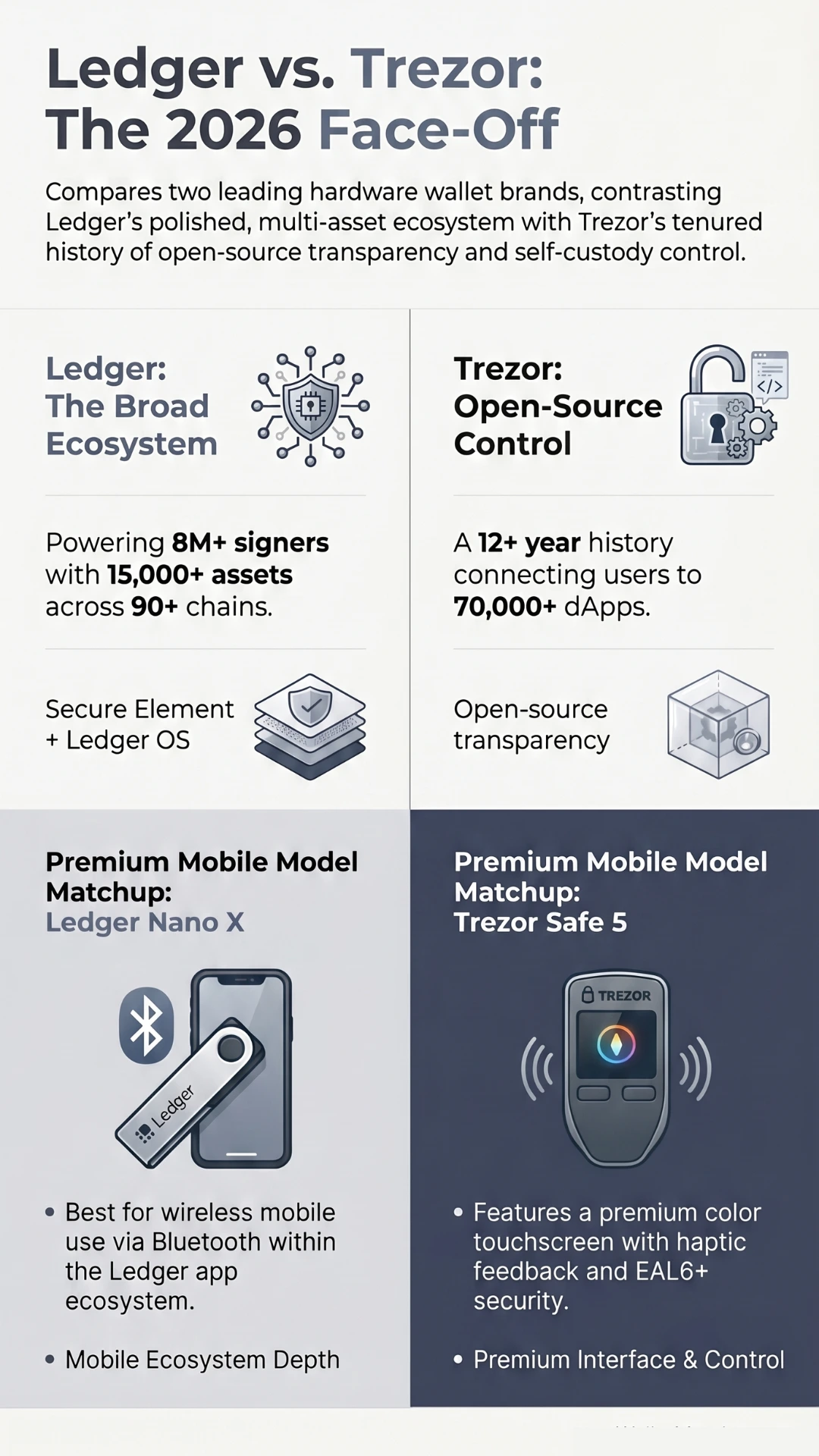 Click to enlarge
Best choice by user type
Use this first if you want the practical answer before reading the detailed ledger vs trezor wallet comparison.
| User type | Better fit | Short reason |
|---|---|---|
| Many coins or altcoins | Ledger | Broader asset and app ecosystem. |
| Bitcoin-only | Trezor | Bitcoin-only editions and open-source positioning. |
| iPhone-first user | Ledger | Nano X, Flex, and Stax-style mobile options fit better. |
| Open-source focused | Trezor | Open-source design is central to Trezor's identity. |
| Budget buyer | Ledger Nano S PlusTrezor Safe 3 | Nano S Plus favors breadth. Safe 3 favors control. |
| Premium touchscreen buyer | Ledger Flex/Stax or Ledger Nano Gen5Trezor Safe 5 or Safe 7 | Compare Ledger ecosystem depth with Trezor's touch and control flow. |
| User who dislikes Bluetooth | Trezor Safe 3/Safe 5Ledger Nano S Plus | These fit USB or no-Bluetooth workflows better than Nano X. |
Ledger vs Trezor: Key numbers at a glance
These figures come from official brand pages and are useful for orientation, not as a guarantee that either wallet fits every user.
Ledger
Flexible crypto management
- 8M+ signers soldofficial Ledger figure
- 20%+ global crypto securedLedger says its devices secure more than 20% of the world's crypto assets.
- 15,000+ supported cryptoshown on Ledger Nano S Plus information
- 90+ chainsshown in Ledger Wallet ecosystem messaging
- 50+ providersservice-provider comparison inside Ledger Wallet
- Secure Element + Ledger OSLedger security architecture
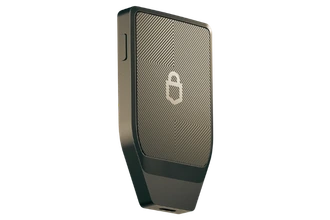
Trezor
Security-first self-custody
- 2M+customers, according to Trezor Suite page
- 10+ yearsin Bitcoin, according to Trezor
- 1000sof coins and tokens
- 70,000+ dAppsshown in Trezor Suite ecosystem messaging
- 30+ wallet app connectionsthird-party wallet connections
- EAL6+ Secure ElementSafe 3, Safe 5, and Safe 7 positioning
Quick Ledger vs Trezor comparison table
| Category | Ledger |
Trezor |
|---|---|---|
| Best for | Many coins, app flexibility, mobile convenience. | Open-source focused users, Bitcoin-only buyers, control habits. |
| Main strength | Broader ecosystem for assets, chains, apps, and services. | Transparent self-custody philosophy and simpler control flow. |
| Security philosophy | Secure Element chips plus Ledger OS. | Open-source design plus Secure Element protection on Safe devices. |
| Mobile experience | Stronger if you choose Nano X, Flex, or Stax-style devices. | Usable with Trezor Suite, but some iOS workflows are more limited. |
| Coin support | Generally broader, including 15,000+ supported crypto claims. | Strong major-asset support, with Bitcoin-focused appeal. |
| Best beginner fit | Beginners who want a polished app and room to grow. | Beginners who want fewer distractions and stronger control habits. |
| Main drawback | More ecosystem complexity and more trust in Ledger's stack. | Less app-broad and not always as mobile-convenient. |
Watch: Ledger vs Trezor explained
Use this video space for a short walkthrough of the main differences between Ledger and Trezor.
Visual decision blocks
- You hold many coins, tokens, or chains.
- You want stronger mobile convenience.
- You like a polished app ecosystem.
- If you are comparing premium-style models specifically, read the Ledger Nano X vs Trezor Safe 5 guide.
- You value open-source design.
- You want Bitcoin-only edition options.
- You prefer direct self-custody habits.
- You are comparing Ledger Nano S Plus vs Trezor Safe 3.
- Answer a few questions.
- Match by setup style.
- Compare alternatives after the result.
Model-by-model: Ledger Nano S Plus, Nano X, Nano Gen5, and Trezor Safe models
Use this section when your decision is really about a specific device, not only the Ledger or Trezor brand.

Ledger Nano S Plus
A lower-cost Ledger option for users who want hardware wallet storage without needing Bluetooth.
View Ledger Nano S Plus
Ledger Nano X
A Ledger option for users who want Bluetooth support and broader mobile flexibility.
View Ledger Nano X
Ledger Flex
A newer Ledger device style for users who want a more modern screen-based experience.
View Ledger Flex
Ledger Nano Gen5
Ledger Nano Gen5 is a newer Ledger signer for users who want flexible crypto management, a more modern touchscreen experience, and access to the Ledger ecosystem.
- Touchscreen-style Ledger signer.
- Secure Element + Ledger OS positioning.
- 15,000+ crypto support according to Ledger ecosystem information.

Trezor Safe 3
A strong Trezor choice for users who want a classic hardware wallet flow with open-source positioning.
View Trezor Safe 3
Trezor Safe 5
A more premium Trezor option for users who want a larger screen and smoother device experience.
View Trezor Safe 5
Trezor Safe 7
Trezor Safe 7 is a premium Trezor hardware wallet for users who want stronger control habits, newer security architecture, and a more advanced self-custody device.
- Trezor's premium Safe-series wallet.
- TROPIC01 plus additional EAL6+ Secure Element positioning.
- Post-quantum firmware, authentication, and boot-process positioning according to Trezor.
Ledger Nano S Plus
Best for: budget desktop or Android users who still want broad asset support.
Key advantage: 15,000+ supported crypto and up to 100 apps, according to Ledger product information.
Main limitation: no Bluetooth and not the iPhone-first Ledger choice.
View Ledger Nano S Plus
Trezor Safe 3
Best for: budget self-custody users who want open-source design and a traditional device flow.
Key advantage: EAL6+ Secure Element protection plus Trezor's open-source positioning.
Main limitation: less mobile-convenient than Ledger Nano X-style use.
View Trezor Safe 3
Ledger Nano X
Best for: Ledger buyers who want Bluetooth and stronger mobile convenience.
Key advantage: wireless mobile use while staying inside Ledger's app ecosystem.
Main limitation: classic Nano interface, not a large touchscreen.
View Ledger Nano X
Trezor Safe 5
Best for: Trezor buyers who want a more comfortable premium interface.
Key advantage: color touchscreen, haptic feedback, and EAL6+ Secure Element protection.
Main limitation: still less ecosystem-broad than Ledger for app-heavy users.
View Trezor Safe 5
Ledger Stax
Best for: premium Ledger buyers who want the most design-forward option.
Key advantage: comfort, visual review, and Ledger ecosystem access.
Main limitation: overkill if you only need low-cost cold storage.
View Ledger Stax
Ledger Flex
Best for: Ledger users who want a larger screen and clearer transaction review.
Key advantage: more modern Ledger interface inside the same broad ecosystem.
Main limitation: more expensive and less storage-only than a simple device.
View Ledger Flex
Ledger Nano Gen5
Best for: users who want a newer Ledger device with touchscreen-style control, broad crypto support, and Ledger ecosystem flexibility.
Key advantage: newer E Ink touchscreen-style signer with Secure Element + Ledger OS positioning.
Main limitation: better for active multi-asset users than pure cold-storage minimalists.
View Ledger Nano Gen5
Trezor Safe 7
Best for: users who want Trezor's strongest modern hardware wallet experience with advanced security positioning and wireless convenience.
Key advantage: TROPIC01 plus additional EAL6+ Secure Element positioning, with post-quantum firmware and boot-process claims from Trezor.
Main limitation: premium device choice, so it may be more than a simple cold-storage buyer needs.
View Trezor Safe 7Recovery backup protection options
Hardware wallets protect private keys, but recovery backup storage matters too. These accessories help protect recovery words from physical damage and are not hardware wallets.

Cryptotag Zeus
Best for: Ledger users who want stronger physical protection for a 24-word recovery phrase.
Cryptotag Zeus is a titanium backup accessory for storing a Ledger recovery phrase more durably than paper. It is a recovery backup product, not a hardware wallet.
- Backup recovery accessory, not a wallet.
- Designed for 24-word recovery phrase storage.
- 6mm-thick titanium according to Ledger.
- Ledger describes it as waterproof, fireproof, corrosion-proof, hackerproof, and bulletproof.

Trezor Keep Metal 20-word
Best for: users who want a physical steel backup option for protecting a 20-word wallet backup.
Trezor Keep Metal 20-word is a steel backup accessory for protecting a wallet recovery backup. It is a backup protection option, not a hardware wallet.
- Backup recovery accessory, not a wallet.
- Designed for 20-word wallet backup protection.
- Steel design for long-term physical backup storage.
Detailed comparison
Open these if you want the deeper research behind the quick answer.
Detailed ledger vs trezor wallet table
| Category | Ledger |
Trezor |
|---|---|---|
| Open-source approach | Ledger uses a proprietary OS and secure-chip ecosystem. | Trezor emphasizes open-source security and design. |
| Secure Element | Ledger highlights Secure Element chips across its signer line, including newer Ledger devices such as Ledger Nano Gen5. | Trezor Safe 3 and Safe 5 use Secure Element protection described as Common Criteria EAL6+ certified. Trezor Safe 7 adds TROPIC01 plus an additional EAL6+ Secure Element according to Trezor. |
| App ecosystem | Ledger Wallet supports portfolio management, buying, swapping, staking, spending, and provider comparisons. | Trezor Suite supports managing, buying, selling, swapping, staking, tracking, dApps, and wallet app connections. |
| Bitcoin-only option | Ledger supports Bitcoin but is more multi-asset focused. | Some Trezor devices have Bitcoin-only editions. |
| Recovery and backup | Recovery phrase based, with additional Ledger backup/recovery options depending on product and region. | Recovery phrase plus Safe-device backup approaches including Single-share and Multi-share workflows. |
| Screen/interface | Ranges from classic Nano screens to Flex, Stax, and Nano Gen5 touchscreen-style devices. | Safe 3 has a two-button monochrome OLED. Safe 5 has a color touchscreen with haptic feedback. Safe 7 is positioned as Trezor's larger premium touchscreen device. |
| Best user type | Users who want one wallet for more assets, apps, chains, and mobile scenarios. | Users who want transparent self-custody, Bitcoin-focused options, and direct control habits. |
Ledger vs Trezor security: different philosophies
Secure-chip ecosystem
Ledger uses Secure Element chips and Ledger OS. This suits users who want secure-chip architecture paired with a polished app ecosystem.
Open-source transparency
Trezor emphasizes open-source design. Newer Safe devices also add Secure Element protection that Trezor describes as EAL6+ certified.

Security takeaway: Ledger equals secure-chip ecosystem. Trezor equals open-source transparency plus newer Secure Element protection. Neither phrase alone proves one is safer for every user.
Ledger Wallet vs Trezor Suite
More ecosystem depth
Ledger Wallet is positioned for buying, swapping, staking, spending, tracking, comparing providers, and managing across many chains.
Cleaner self-custody app
Trezor Suite supports managing, buying, selling, swapping, staking, portfolio tracking, dApps, and 30+ wallet app connections.
Pick the app you will use safely
If app breadth helps you stay organized, Ledger may feel better. If fewer distractions help you avoid mistakes, Trezor may feel better.

Coin and token support
Ledger generally has the broader coin, token, chain, and app ecosystem. Ledger advertises 15,000+ supported crypto and 90+ chains in current messaging.
Trezor supports many major assets and thousands of coins and tokens, with a stronger Bitcoin-focused appeal for some users. Always verify specific asset support before buying.
Bitcoin-only storage
Trezor is often the more natural first look for Bitcoin-only buyers because some Trezor devices are offered in Bitcoin-only editions. Ledger also supports Bitcoin securely, but Ledger is more clearly positioned as a multi-asset wallet ecosystem.
For a broader storage guide, read Best Cold Wallet for Bitcoin or Best Hardware Wallet for Long-Term Storage.
Beginner mistakes to avoid

- Never type your recovery phrase into a website, chat, email, cloud note, or support form.
- Never buy used hardware wallets or devices from random marketplace sellers.
- Always verify the receiving address on the device screen before sending funds.
- Keep your recovery phrase offline, private, and physically protected.
If you are new to cold storage, start with Best Hardware Wallet for Beginners.
Official sources checked
We used official brand pages first and avoided unsupported claims. Product details can change, so verify before buying.
FAQ
Is Ledger better than Trezor?
Ledger may be better if you want broader app flexibility, mobile convenience, and wide coin and token support. It is not automatically better for Bitcoin-only or open-source focused users.
Is Trezor better than Ledger?
Trezor may be better if you value open-source design, Bitcoin-only options, and a more direct self-custody workflow. It is not automatically better for users who want broader app and mobile convenience.
Which is safer, Ledger or Trezor?
Both are serious hardware wallet brands. Ledger emphasizes Secure Element chips and Ledger OS. Trezor emphasizes open-source design and adds Secure Element protection on Safe 3 and Safe 5. The safer choice also depends on your backup habits.
Which is better for beginners?
Ledger may feel easier for users who want a polished app and mobile flexibility. Trezor may feel easier for users who want fewer ecosystem distractions and a more traditional self-custody setup.
Which is better for Bitcoin?
Trezor is often attractive for Bitcoin-only buyers because some devices have Bitcoin-only editions. Ledger also supports Bitcoin, but Ledger is more multi-asset and ecosystem focused.
Which is better for altcoins?
Ledger generally has the broader asset and app ecosystem. If your portfolio includes less common tokens or many chains, check official Ledger and Trezor support lists before buying.
Does Ledger or Trezor support more coins?
Ledger generally advertises broader support, including 15,000+ crypto on the Nano S Plus page. Trezor supports thousands of coins and tokens, but may be less broad for niche assets.
Is Trezor open source?
Yes. Trezor publicly emphasizes open-source security and design, which is one of the reasons some self-custody users prefer it.
Does Ledger have Bluetooth?
Ledger Nano X includes Bluetooth and is a stronger Ledger choice for mobile and iOS use. Ledger Nano S Plus is USB-C focused and is not the iOS choice.
Should I buy Ledger or Trezor from Amazon?
Beginners should buy from official brand channels or carefully verified authorized retailers. Avoid used devices, random sellers, and any wallet that arrives with a pre-written recovery phrase.